
The below guide works on windows 8 and above. This guide is for if the Wi-Fi tab is not appearing like below:
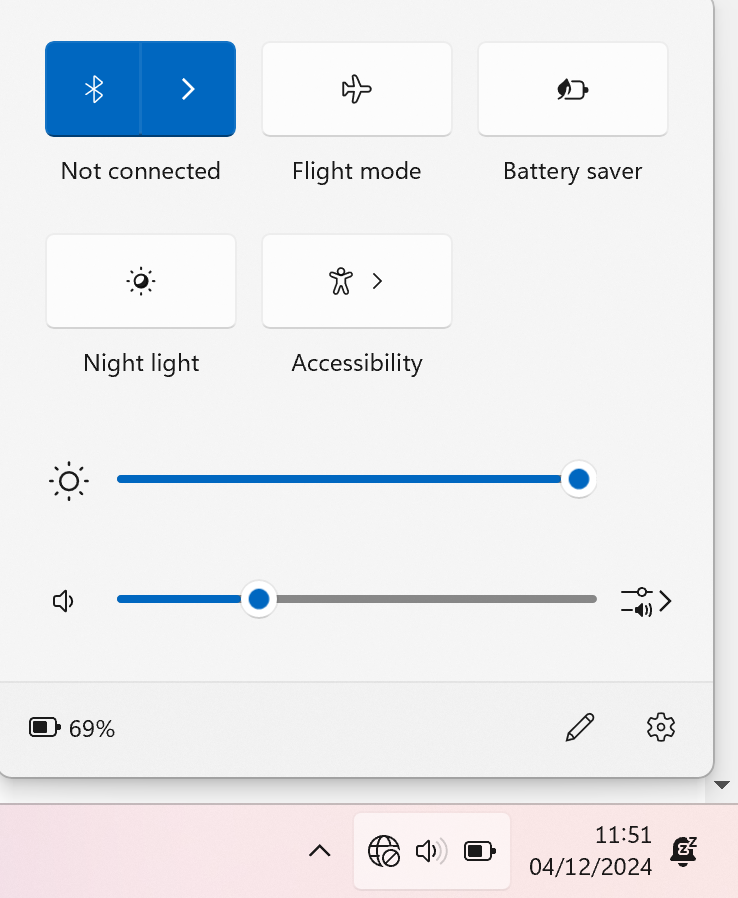
Step One:
Press the windows button (⊞) and then type Device Manager and open
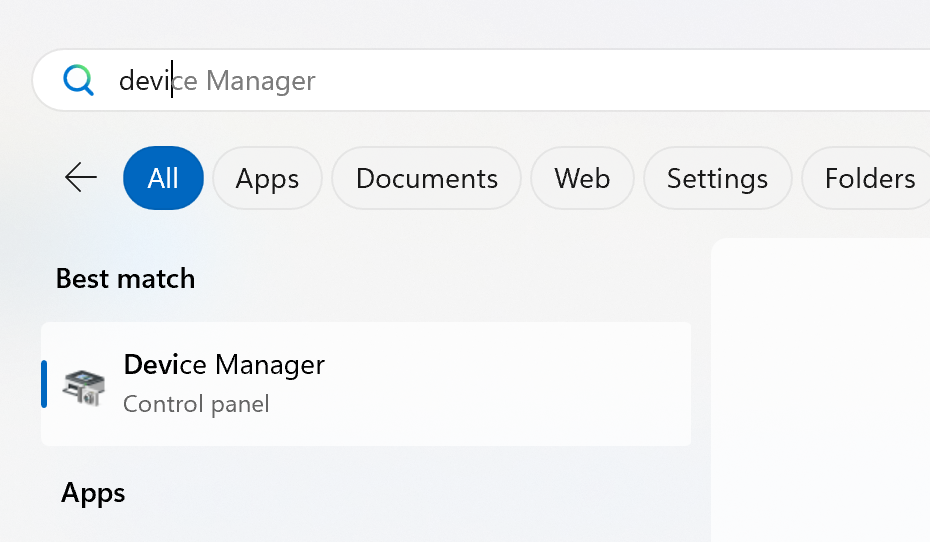
Step Two:
Once opened find the section that says “Network Adapters” and find the one labelled “Wi-Fi”
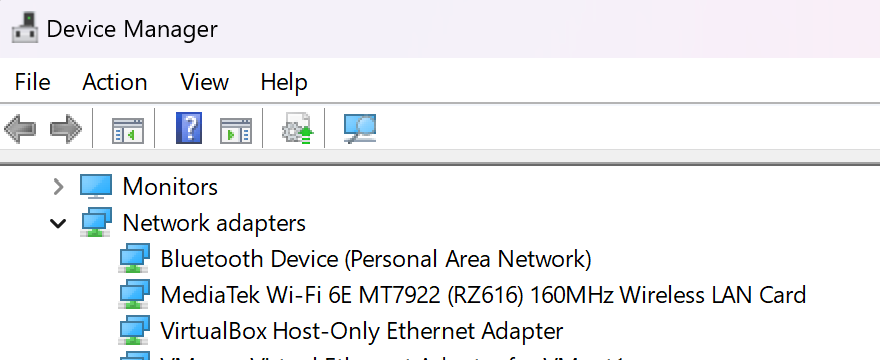
Step Three:
Right click and press uninstall device:
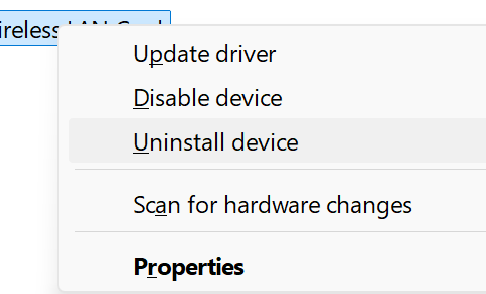
Step Four:
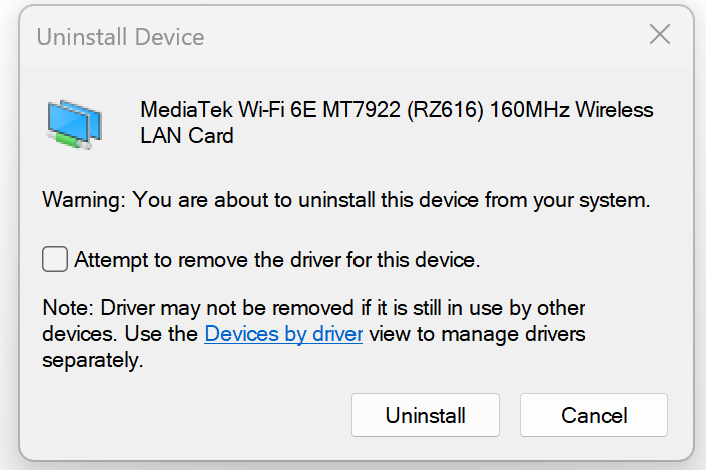
Press uninstall. Once you have done that now reboot the computer
Be sure to check out our other Tutorial posts for more information:
Leave a Reply