
-

How to allow Google bots through Cloudflare
Allowing Google bots to scan your website can help to ensure that your webpage comes up on google search without the user having to follow a direct URL. Not allowing Google to scan your webpage my result in it not showing up at all! This guide will show you how to allow Google and…
-

Disable the Wi-Fi adapter on RaspberryPi
Using a RaspberryPi in your home can greatly reduce costs and allow you to tinker around with new and interesting projects, commonly many people use their RaspberryPi wirelessly. But how do you disable the adapter when it is no longer needed? Temporary Disable (Until Reboot) Use the following command to disable Wi-Fi temporarily: sudo…
-

How to route from LAN to Tailscale IP
This guide will show you how to route internal traffic that cannot have Tailscale installed, to a Tailscale IP address. To begin with sign into:https://login.tailscale.com/admin/machines And get the IP of the Tailscale machine you want to connect to. In this example I will use 100.100.100.100. Secondly, go to your router and look for a…
-
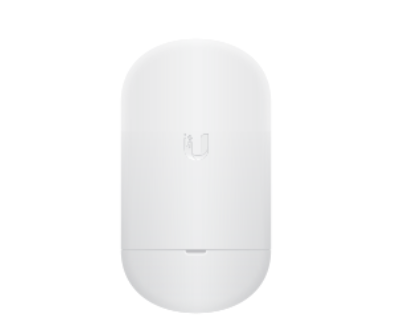
How to set up Unifi NanoStation Loco5AC
Below is how to set up a new Point To Point set up with Unifi. To begin open the quick start guide below: https://dl.ubnt.com/qsg/Loco5AC/Loco5AC_EN.html This may give you all you need to get started, but if not then please read on to learn how. Step One, The PoE adapter: Now this should actually be…
-
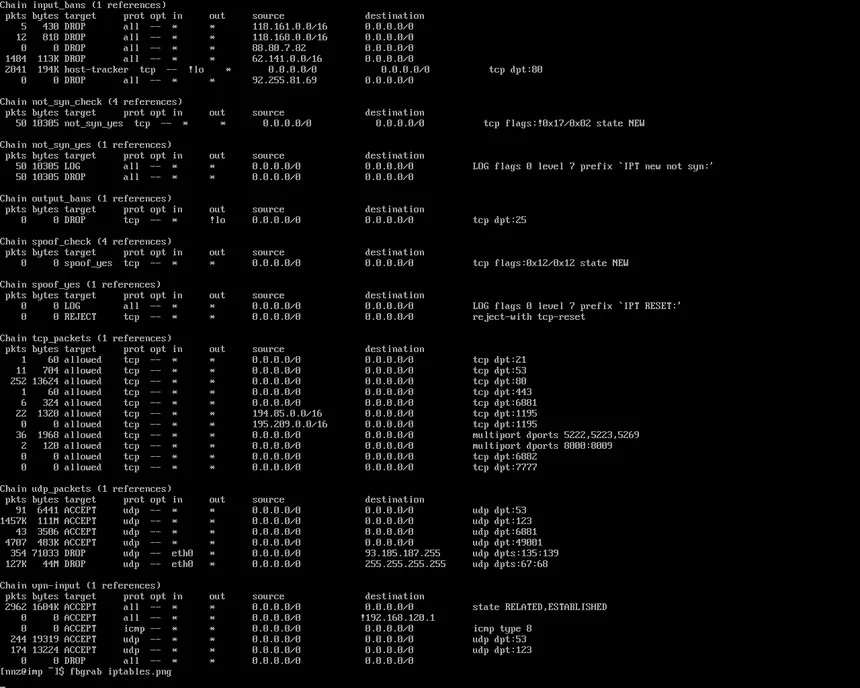
View IPTables blocks
To view iptables blocks, you can use the following commands: Below shows an example of using iptables -L -v -n:
-

Stacks not showing up in Portainer CE
This guide will show you how to potentially view stacks that have gone missing in Portainer. Problem: I have got 4 stacks that should show up in portainer however only 2 are showing correctly: The issue I was having was due to the other stacks becoming “Orphaned”, this can be fixed by going to…
-

How to install network wide AdBlock
There is two main ways in which PiHole can be installed. The first is barebones, installing PiHole directly onto a unix based system (Ubuntu in my case). The other and my personally preferred way is Docker. We will start with the barebones as it is a bit of a simpler guide: Direct install Following…
-

How to install and set up UFW on Ubuntu
This is a guide on how to set UFW on a Ubuntu operating system. In this guide I will show how to allow a couple common ports but this can be changed based on your needs. Step One: (If not already installed) Install UFW sudo apt install ufw Step Two: Add common ports (SSH…
-

How to fix Wi-Fi not appearing Windows
The below guide works on windows 8 and above. This guide is for if the Wi-Fi tab is not appearing like below: Step One: Press the windows button (⊞) and then type Device Manager and open Step Two: Once opened find the section that says “Network Adapters” and find the one labelled “Wi-Fi” Step…
-