
This guide will show you how to potentially view stacks that have gone missing in Portainer.
Problem:
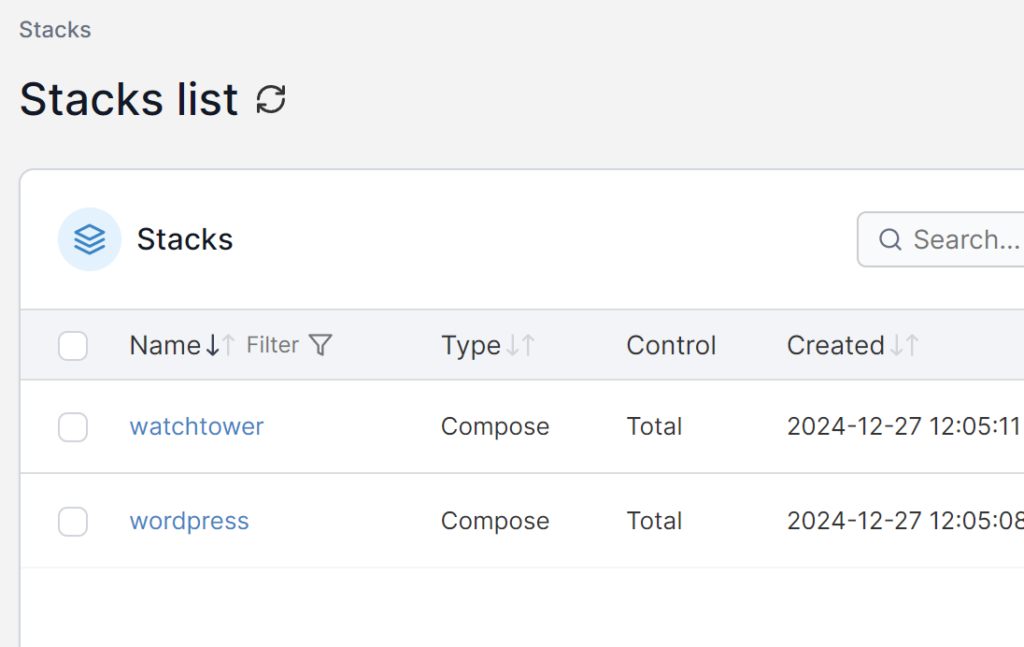
I have got 4 stacks that should show up in portainer however only 2 are showing correctly:
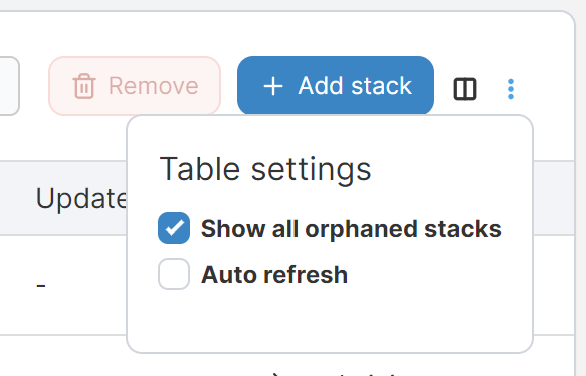
The issue I was having was due to the other stacks becoming “Orphaned”, this can be fixed by going to to top right and selecting “Show Orphaned Stacks”:
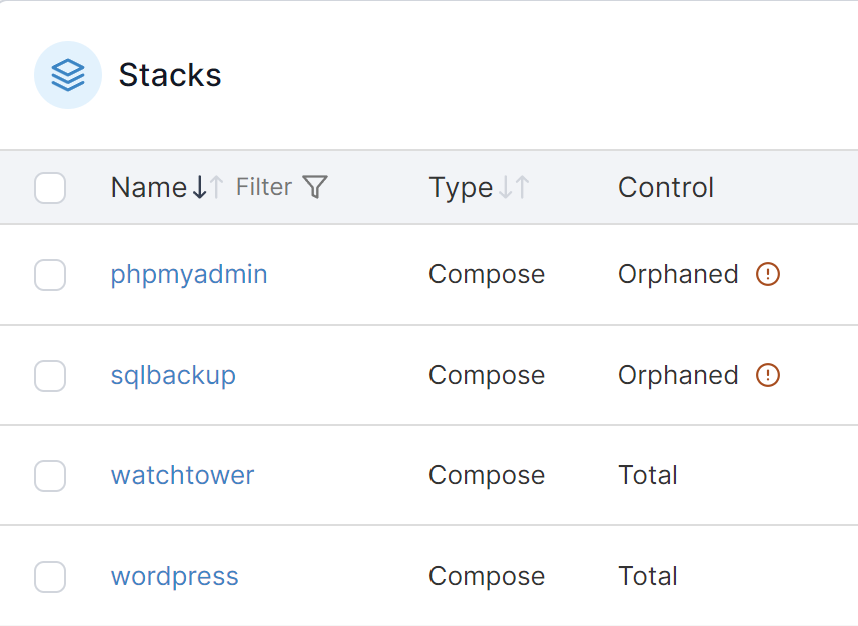
This should hopefully then show all missing stacks:
From here you can then click on the ones that were missing (Marked as orphaned) and select associate to have full control over the stack:
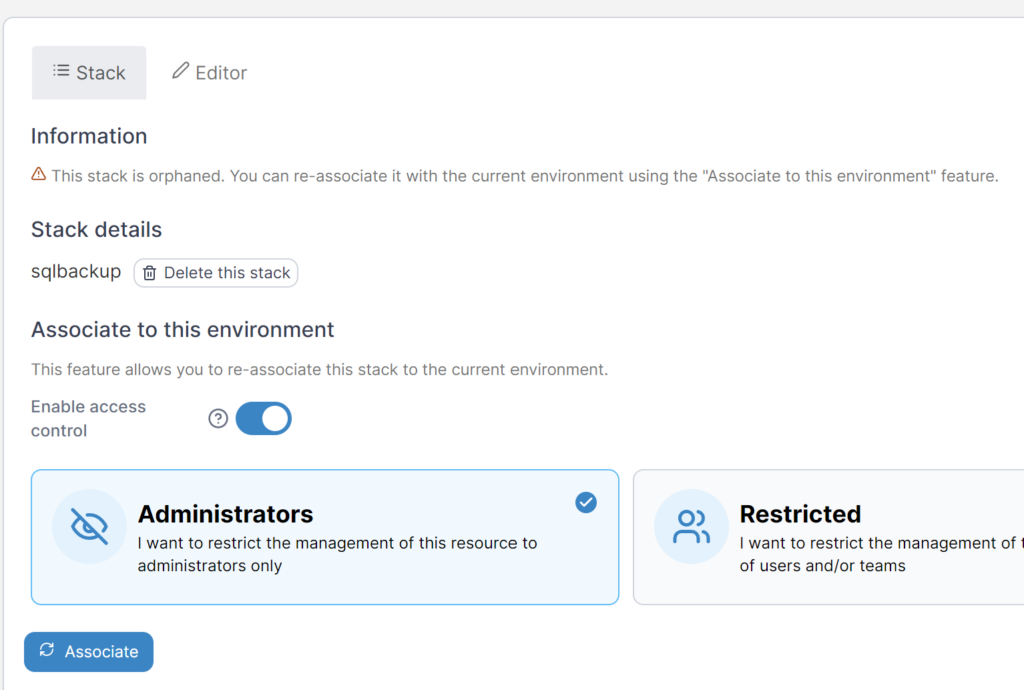
You should now be able to edit the stack again
Be sure to check out our other Cyber Security posts for more information:
Leave a Reply