
Allowing Google bots to scan your website can help to ensure that your webpage comes up on google search without the user having to follow a direct URL.
Not allowing Google to scan your webpage my result in it not showing up at all! This guide will show you how to allow Google and Big bots through your Cloudflare WAF (Guide here on what a WAF is) where they would usually be blocked!
Log into Cloudflare (https://dash.cloudflare.com) and visit the domain you want to allow bots to access. In my case this is NashNet.cloud, head to the “Security” Tab and select WAF
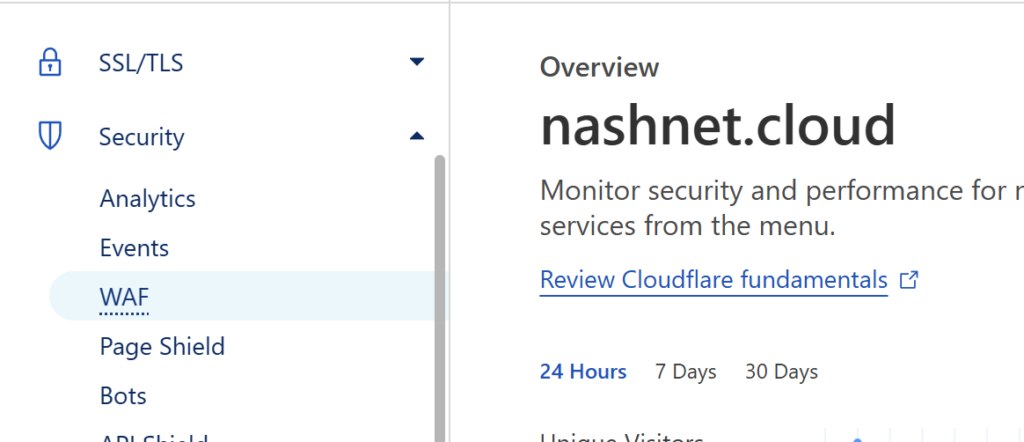
Select “Custom Rules” and Create a new rule.
In this example, I am going to make anyone that is not from the UK have to fill out a CAPTCHA.
I will also say that IF the originating IP is a certified Google Bot, do not make them have to do this and allow them through.
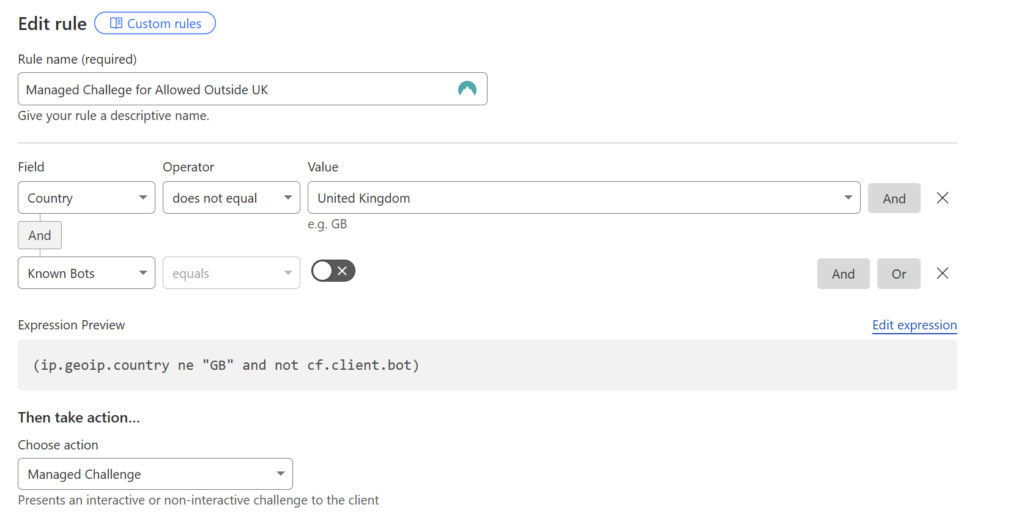
To allow google bots make sure you select Known Bots and then de-select the check box.
Be sure to save the created rule.
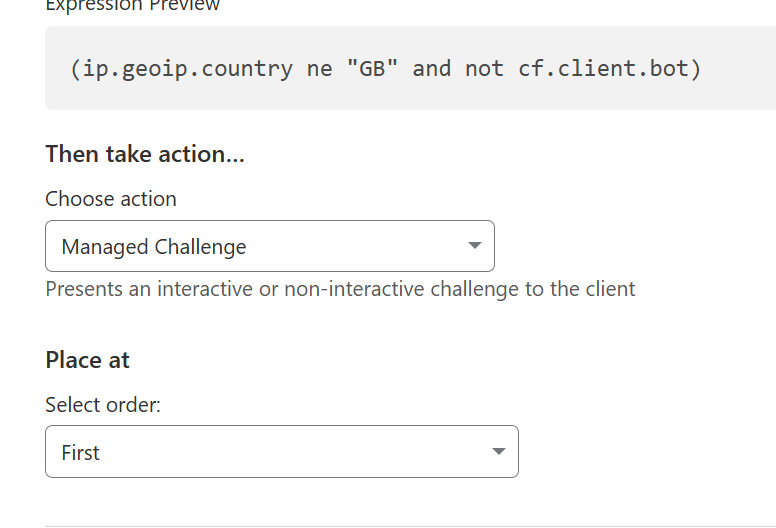
Once saved make sure that the newly created rule is at the top of any custom rules that may also block the Google bots. This can one by selecting run first at the bottom of the creation page:
So there you have it, you now allow Google and Bing to be able to index your sites!
Be sure to check out our other Tutorial posts for more information:
View a more in-depth description of setting this up on Cloudflare’s Website here:
Leave a Reply