
This guide will show you how to route internal traffic that cannot have Tailscale installed, to a Tailscale IP address.
To begin with sign into:
https://login.tailscale.com/admin/machines
And get the IP of the Tailscale machine you want to connect to. In this example I will use 100.100.100.100.
Secondly, go to your router and look for a section under “Routing” called “Static Routes” for example mine was under:
Settings -> Routing -> Static Routes
I will attach an example here for a TP-Link router:
https://www.tp-link.com/uk/support/faq/3601/
Next create a new static route with the following information:
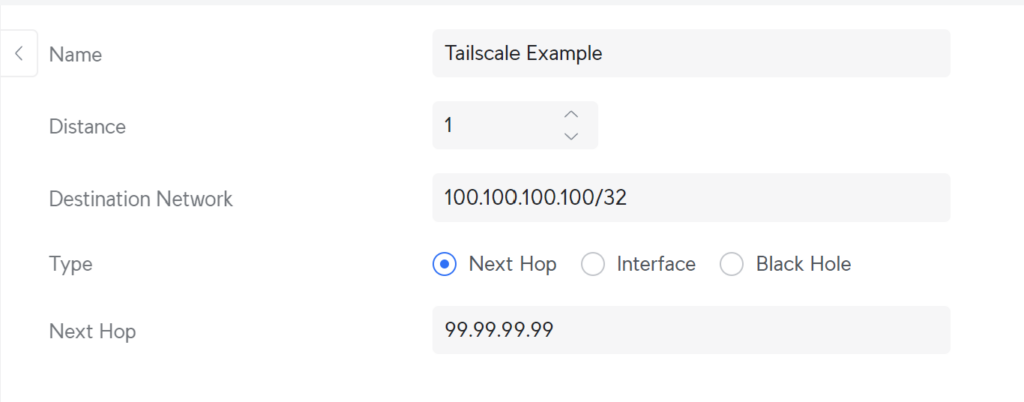
Name: This can be anything you want
Distance: This is the distance to the next hop, so in my case a Raspberry Pi running Tailscale. It is on the same LAN so no extra hops (A hop is when you ahve to go through a router)
Destination Network: This is your Tailscale end device IP (The one you want to get to) be sure to use /32 to only forward that one IP address and not a whole subnet.
Type: Next Hop
Next Hop: This is the IP of the Tailscale device on your LAN.
These instructions may vary depending on device but they should be similar.
You should now be able to access your device from the LAN network.
Be sure to check out our other Cyber Security posts for more information:
Leave a Reply